Ecommerce is massive right now. We’re talking about a $6.8 trillion industry globally in 2025, and it’s projected to hit $8 trillion by 2027. Online shopping now accounts for over 20% of all retail sales worldwide, and that percentage keeps climbing. In the U.S. alone, ecommerce reached $1.19 trillion last year, with no signs of slowing down.
When Shopify releases Winter ’26 – Shopify Editions with 150+ new updates, it’s not just another quarterly announcement—it’s potentially reshaping how millions of stores operate and how billions of dollars flow through online retail.
Most feature winter releases are packed with updates that sound impressive in press releases but don’t actually help you sell more or save time. This latest Shopify Editions release, dubbed “The Renaissance Edition,” is different. There are genuinely useful tools in Winter ’26 – Shopify Editions that change what’s possible for store owners, especially around AI, testing, and automation.
We analyzed Shopify’s entire Winter ’26 – Shopify Editions release documentation and identified the features that actually matter for real stores.
Note: Some features mentioned in Winter ’26 – Shopify Editions are in early access or preview mode. We’ll update this guide as more merchants gain access and real-world performance data becomes available.
Here’s what you need to know about the features from Winter ’26 – Shopify Editions that could impact your bottom line.
How Winter ’26 – Shopify Editions Is Reshaping Ecommerce
AI isn’t just a buzzword in ecommerce anymore—it’s becoming practical. According to Shopify’s own research, 66% of consumers expect to use AI for at least one part of their shopping journey. On the merchant side, 93% of UK merchants have either invested in or plan to invest in AI tools to help customers discover and buy products.
Winter ’26 – Shopify Editions represents Shopify’s response to this shift. They’re not adding AI features just because everyone else is—they’re making AI useful for everyday store management. The Shopify Sidekick 2026 improvements, new Shopify Rollouts AB testing capabilities, and tools like Shopify SimGym all point to this practical approach.
The second big shift in Winter ’26 – Shopify Editions is reducing your dependence on third-party apps. For years, if you wanted A/B testing, you paid for an app. Need better automation? Another app. Want to test major changes without risking traffic? You couldn’t, unless you had serious volume.
These features in Winter ’26 – Shopify Editions bring several capabilities in-house. That means fewer monthly subscriptions, less complexity, and features that actually work together because the same team built them. During their recent Black Friday Cyber Monday period, Shopify processed $14.6 billion in sales across four days, proving their infrastructure can handle massive scale—and these new features are built on that same reliable foundation.
1. Shopify Sidekick 2026: The Biggest AI Update in Winter ’26 – Shopify Editions
Let’s start with Shopify Sidekick 2026 because it’s the centerpiece of Winter ’26 – Shopify Editions. Shopify’s AI assistant evolved from answering basic questions to handling actual tasks designed to save you time.
The most practical update in Winter ’26 – Shopify Editions? You can now edit your theme just by talking to Sidekick. Click on any button, header, or section in your theme editor and tell Sidekick what you want changed. “Make this button rounded.” “Change the text to navy blue.” “Add 20 pixels of padding here.” It understands natural language and makes the changes immediately in your theme code.
This matters because most Shopify store owners aren’t developers. You know what you want your store to look like, but making those changes meant either learning code, hiring a developer, or settling for “good enough.” Now you just describe what you want.
Sidekick in Winter ’26 – Shopify Editions can also build Shopify Flow automations through conversation. Tell it “automatically tag customers who spend over $200” and it creates the entire workflow with conditions and actions. You review it, adjust if needed, and activate it. For common automation needs—customer tagging, inventory alerts, order processing—this feature is designed to be significantly faster than building flows manually.
The new Sidekick Pulse feature in Winter ’26 – Shopify Editions proactively surfaces recommendations on your admin home screen based on your store’s data. Instead of asking questions, you get alerts like “You’re running low on your best-selling product” or “Customers who bought Product A typically also buy Product B—consider creating a bundle.”
Sidekick can now handle image editing with studio-quality AI tools built directly into your file editor. You can transform product photos, remove backgrounds, adjust lighting, and make professional edits without external software.
One important note: Sidekick may struggle with complex, multi-step tasks. And the AI-generated product descriptions it creates work as starting points but aren’t ready to publish. You’ll still need to edit them with your brand voice and product-specific details that only you know.
2. Shopify Rollouts: Native A/B Testing Arrives in Winter ’26 – Shopify Editions
This is one of the most immediately useful features from Winter ’26 – Shopify Editions for most merchants. Shopify Rollouts brings native AB testing directly into your admin—no third-party apps, no complex setup, no additional monthly costs.
Here’s how Shopify Rollouts AB testing works in Winter ’26 – Shopify Editions: You create a “rollout,” which is a staged version of your store with specific changes. Maybe a new homepage layout, different product page design, or updated collection structure. Then you can:
- Schedule exactly when changes go live
- Control what percentage of traffic sees the new version
- Run proper A/B tests against your current design
- Track which version converts better with built-in analytics
The traffic percentage control in Shopify Rollouts is particularly smart for risk management. Start by showing changes to just 10% of visitors. Monitor conversion rates, revenue per visitor, and engagement metrics. If numbers look positive, gradually increase to 25%, then 50%, then 100%. If they decline, stop the test without damaging your overall store performance.
Within Shopify Rollouts in Winter ’26 – Shopify Editions, you can control the percentage of traffic and simultaneously launch more than one set of features. This effectively turns a simple rollout into a proper A/B test, starting simple and growing more sophisticated as your traffic increases.
For seasonal campaigns, the Shopify Rollouts scheduling feature eliminates late-night manual work. Set up your Black Friday theme two weeks early, schedule it to activate at midnight on the day, and the system handles everything automatically.
Current limitations: Right now, Shopify Rollouts in Winter ’26 – Shopify Editions primarily handles theme-level changes. You can’t yet test different product pricing strategies, complex merchandising approaches, or checkout flow modifications. Shopify indicated these capabilities are coming in future months, but they’re not in this December 2025 release.
Compared to dedicated tools like Convert or VWO, Shopify Rollouts is simpler and less feature-rich. But for most Shopify stores, simpler is actually better. If you need to test whether a new homepage design outperforms your current one, this Winter ’26 – Shopify Editions feature handles it without requiring expertise in conversion rate optimization.
3. Shopify SimGym: AI-Powered Testing from Winter ’26 – Shopify Editions
Here’s a problem every small to medium Shopify store faces: you don’t have enough traffic to run statistically significant A/B tests. With 1,000 visitors monthly, properly testing a major change requires weeks or months of data collection.
Shopify SimGym, introduced in Winter ’26 – Shopify Editions, is Shopify’s AI-powered solution to this problem. It’s a simulation app that uses behavioral data from billions of real purchases across Shopify’s entire platform to predict how changes might impact your specific store’s performance.
You can use Shopify SimGym from Winter ’26 – Shopify Editions to compare different themes, test major navigation restructuring, or evaluate whether a complete site redesign will likely improve or hurt conversions. The AI creates virtual shoppers—modeled on actual human shopping behavior patterns from Shopify’s massive dataset—and runs them through your store variations.
These AI shopper personas in SimGym are built using behavior data from the billions of purchases that happen across Shopify’s platform every year. The personas are then tuned based on your specific customers’ behavior and the changes you’re testing, designed to make predictions more relevant for your unique store.
For new Shopify stores with minimal traffic, SimGym provides insights you literally couldn’t access otherwise. For larger stores with substantial traffic, Shopify SimGym serves as an early validation signal before committing resources to full A/B tests with actual customers.
How to use SimGym effectively: Treat it as one data input in your decision-making process. The best approach combines SimGym predictions with Shopify Rollouts testing on real traffic for the strongest validation before major changes.
4. Shopify Product Network and Agentic Storefronts in Winter ’26 – Shopify Editions
Winter ’26 – Shopify Editions introduces two major product discovery features that change how customers find and buy your products.
Shopify Agentic Storefronts represents a significant bet on future shopping behavior. Through this Winter ’26 – Shopify Editions feature, your product catalog can now appear when people ask shopping-related questions in ChatGPT, Microsoft Copilot, and Perplexity AI. When someone asks “best running shoes for flat feet,” and your products match that query, they can appear directly in the AI’s response with purchasing options.
You configure Agentic Storefronts once in your Shopify admin, and these AI platforms can automatically pull relevant products from your catalog based on search queries and conversational context. Shopify built the Catalog API specifically for this purpose, making your products discoverable across AI chat platforms.
Shopify Product Network, another key feature in Winter ’26 – Shopify Editions, addresses a different problem: customers find what they want on your site, then ask about a related product you don’t carry. Instead of losing them to Amazon or a competitor, you can now display complementary products from other Shopify merchants and earn commission on those sales.
For example, if you sell cameras but not camera bags, when someone searches “camera bag” on your site, you can show quality options from other Shopify stores. The customer buys the bag through your site, you earn a commission, and they didn’t need to leave your store.
The Shopify Product Network works in your search results, collection pages, and post-purchase recommendation areas. It’s essentially an internal affiliate network built into the Shopify ecosystem, allowing you to fill catalog gaps while earning commission.
Important consideration: You’re introducing other brands into your customer experience through Product Network. Be selective about which categories you enable and ensure they align with your quality standards.
Currently, Shopify Product Network is only available to U.S.-based merchants, but Shopify typically expands successful features to other markets in subsequent editions.
5. Shopify Checkout Updates 2026 in Winter ’26 – Shopify Editions
Winter ’26 – Shopify Editions includes several checkout improvements designed to affect your conversion rates and revenue:
Shop Pay Installments UK Launch: One of the major announcements in Winter ’26 – Shopify Editions is Shop Pay Installments expanding to the UK market. If you sell products where customers prefer payment plans over full upfront payment, this could be significant. Shopify partnered with Affirm to offer payment terms up to 24 months in the UK market. It’s completely integrated into Shopify Payments—no third-party plugins needed.
Personalized Shop Pay Button: This checkout update in Winter ’26 – Shopify Editions shows customers the last four digits of their saved payment method directly on the Shop Pay button. It’s a small visual change designed to reduce checkout anxiety and potentially improve conversion rates.
Enhanced International Payment Support: Winter ’26 – Shopify Editions added Shop Pay integration with Global-e for smoother international order processing, plus support for more alternative payment methods across European markets including iDeal, Swish, Twint, and Mobilepay.
Market-Specific Customization: You can now customize checkout and customer account experiences per country or for B2B buyers, giving you more control over the purchase experience for different customer segments.
Shopify’s checkout already converts at industry-leading rates, and these Winter ’26 – Shopify Editions updates are designed to push that advantage further.
6. Marketing Automation Improvements in Winter ’26 – Shopify Editions
Winter ’26 – Shopify Editions brings several marketing automation updates worth noting:
Shopify Email Updates: Dynamic product recommendation sections now work in email campaigns, and there’s a new calendar interface for planning your email marketing schedule. This makes it easier to visualize your campaign calendar and ensure consistent customer communication.
SMS Marketing Enhancements: Winter ’26 – Shopify Editions added SMS scheduling capabilities, customer segmentation for targeted messages, and analytics dashboards so you can track SMS campaign performance directly in Shopify.
Shopify Forms Translation: Forms can now auto-translate into 19+ languages, which has the potential to significantly improve international conversion rates by reducing friction for non-English speaking customers.
Shop Campaigns Expansion: You can now reach millions of high-intent shoppers through Shop with personalized buying experiences. The dedicated Deals feed highlights discounts and price drops, and you can add shoppable videos that Shop’s AI will optimize for distribution.
These are solid improvements in Winter ’26 – Shopify Editions, but they still don’t match the depth of specialized platform like Retainful if you need advanced behavioral segmentation, complex customer journey automation, or detailed multi-touch attribution.
7. Developer Tools and Analytics Updates in Winter ’26 – Shopify Editions
Several technical updates in Winter ’26 – Shopify Editions matter even if you’re not a developer:
Product Variant Limit Increase: Winter ’26 – Shopify Editions increased the product variant limit from 100 to 2,048 variants per product. This is transformative if you sell products with multiple configurable attributes—furniture in different woods, finishes, sizes, and fabrics, or apparel with extensive size, color, and style combinations. That 100-variant ceiling forced merchants to create awkward workarounds. That constraint no longer exists.
Shopify Dev MCP: For developers building on Shopify, Winter ’26 – Shopify Editions introduced Shopify Dev MCP (Model Context Protocol) which works with AI coding tools like Cursor and Claude Code. It validates API calls, autogenerates correct code, and supports Hydrogen, Storefront API, Liquid, and POS UI extensions.
Enhanced Analytics: Sidekick can now generate custom analytics reports and visualizations in the ShopifyQL editor, making it easier to answer specific business questions without learning query syntax.
Flow Testing: You can now test Shopify Flow workflows before going live, adjusting logic without impacting real store data—a significant safety improvement.
Scripts to Functions Migration: By June 2026, Shopify Functions will replace Scripts with faster execution and increased feature parity, giving you better performance for custom checkout and cart logic.
These developer and analytics improvements in Winter ’26 – Shopify Editions create a more powerful platform for customization and data-driven decision making.
How to Implement Winter ’26 – Shopify Editions Features Strategically
Don’t enable everything from Winter ’26 – Shopify Editions simultaneously. Here’s a practical approach:
Start with Shopify Rollouts. Set up one simple split test on your homepage or highest-traffic product page. Learn the interface with low-risk tests before experimenting with major changes.
Experiment with Shopify Sidekick 2026 for repetitive tasks. Try it for theme adjustments, simple workflow automation, and basic analytics queries. Identify where it genuinely saves time.
Evaluate Shopify SimGym if you’re planning significant design changes. Run simulations to gather predictive data, but combine those insights with real customer testing through Rollouts.
Enable Agentic Storefronts if setup takes under 15 minutes. Treat it as a low-risk experiment in an emerging shopping channel.
Consider Product Network if customers frequently request complementary items you don’t stock. Start with a small curated set of product categories.
Focus on implementing two or three features from Winter ’26 – Shopify Editions that solve actual problems you’re experiencing right now. Deploy them properly, measure performance impacts, then consider expanding to additional features.
Final Thoughts on Winter ’26 – Shopify Editions
Winter ’26 – Shopify Editions brings impressive improvements to Shopify’s core platform—native A/B testing, AI assistance, and better native tools. But here’s the reality: while Shopify’s basic email and SMS features are fine for getting started, they still can’t match what dedicated platforms offer for retention marketing.
If you’re serious about turning one-time buyers into repeat customers, you need more than what Winter ’26 – Shopify Editions provides. You need advanced segmentation, multi-channel automation across email, SMS, and WhatsApp, smart popups that actually convert, and proven workflows that drive results.
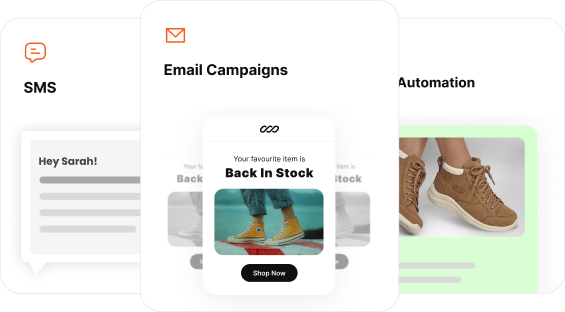
That’s exactly what Retainful delivers. While Winter ’26 – Shopify Editions improves your storefront and testing capabilities, Retainful powers your conversion and retention engine with:
- Email, SMS & WhatsApp marketing from one platform
- Advanced customer segmentation based on behavior, not just basic tags
- Smart popups and forms designed specifically for ecommerce conversion
- Pre-built automation workflows for cart recovery, win-back, post-purchase, and more
- Next order coupons that drive repeat purchases automatically
The smartest approach? Use Winter ’26 – Shopify Editions features for what they do well—store management, testing, and basic operations. Then use Retainful for what actually drives long-term revenue: customer conversion, retention and lifecycle marketing.
Want to see the difference advanced marketing automation makes? Start with Retainful’s free plan—no credit card required.