You put in so much effort and money to bring shoppers to your store, but most of them still walk away without making a purchase. And here’s the surprising part: many don’t even make it to the cart. They browse, they compare, they check reviews… and then they leave.
In fact, up to 90% of product page visitors drop off before even adding an item to their cart—a huge revenue leak most brands simply overlook.
That’s exactly why we’re excited to roll out our biggest Q3 update: Fully automated browse abandonment emails, built to turn those high-intent window shoppers into actual customers.
Here’s a video if you don’t feel like reading:
What is browse abandonment, and why does it matter?
Browse abandonment occurs when a tracked visitor views one or more product pages but exits your store before adding any item to their shopping cart or before completing a purchase.
Understanding the difference between a casual visitor and an interested browser is key to maximizing your revenue. The new browse abandonment flow helps you target the latter.
High purchase intent:
These shoppers aren’t just casually scrolling through your site. They took the time to explore specific product pages. It shows they were genuinely considering a purchase, even if they didn’t take the next step.
All they often need is a friendly nudge, a reminder of what caught their eye, or a small incentive to bring them back
Moving up the funnel:
Sure, your cart abandonment emails already help you recover customers who were this close to buying. But browse abandonment goes one level deeper.
It catches the shoppers who slipped away before the cart stage —people who were interested but got distracted or needed more time.
Browse abandonment automation
Now you can recover sales from browse abandonment and turn visitors into buyers with a simple email automation setup.
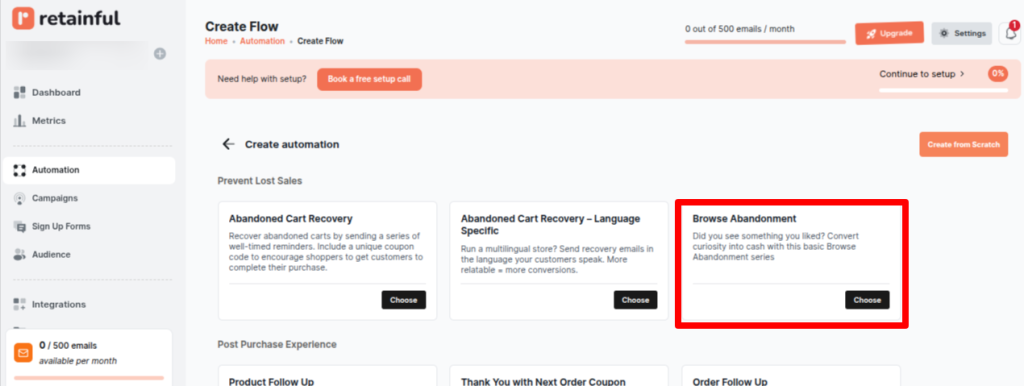
In the Retainful dashboard, select Automations -> Create Workflow -> Browse abandonment.
Key features:
- Powerful triggering & filtering: The workflow starts when someone views a product. From there, you can narrow down your audience using filters like location, language, past purchases, or demographics, so every message feels relevant to the person receiving it.
- Smart exit triggers: No one wants unnecessary emails. If a shopper comes back and adds the item to their cart or completes the purchase, they’re instantly removed from the workflow. This keeps your messages helpful, not annoying.
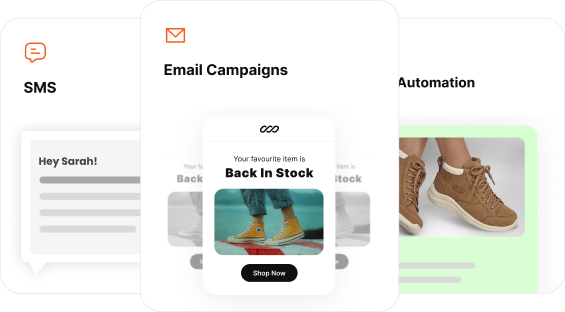
- Multi-channel follow-up: Don’t rely on just one channel. Along with email, you can also follow up with customers through SMS or WhatsApp, increasing the chances they see your reminder.
- Personalized & dynamic content: The messages aren’t generic. You can add the customer’s name, a friendly greeting, and even the exact product they were looking at. This makes each follow-up feel personal and more likely to convert.
Wrap up!
You’ve worked hard to drive quality traffic to your store. It’s time to ensure that investment pays off by closing the often-overlooked revenue gaps in your sales funnel.
With Retainful’s Browse Abandonment Automation, you are no longer leaving money on the table. You gain a sophisticated, multi-channel system that captures high-intent customers who slipped away at the product page
Frequently asked questions
Send it after 30 minutes to 1 hour. This gives shoppers time to return while still keeping your reminder timely.
it’s very easy. Once your Shopify or WooCommerce store is connected, tracking works automatically as long as the visitor is identified.
Retainful’s Exit Triggers remove shoppers from the Browse flow the moment they add an item to the cart, preventing message overlap.
This event only triggers for identified visitors, which is normally 5–10%.